



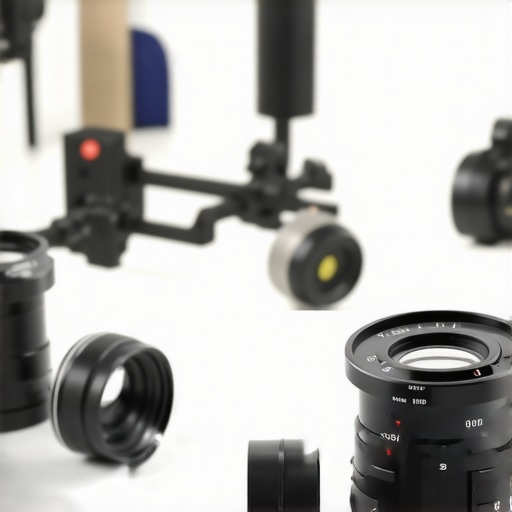
I remember the first time I mounted an EF lens onto my RF camera body. I was eager to switch seamlessly between my favorite glass, but as I tightened the adapter, I felt a faint wobble. That tiny movement might seem insignificant until you’re on set, and every jitter threatens to ruin your shot. It was a lightbulb moment for me—realizing that even in 2026, most EF to RF adapters still have this nagging wobble problem. And honestly, it’s a frustration many of us share.
Why the Wobble Persists Despite Advances
Despite the technological leaps in camera gear, the wobbling issue remains stubbornly present in many adapters. The root cause? Variations in lens mount tolerances and manufacturing inconsistencies. Even professional-grade adapters can slip slightly, especially under the stress of a hectic shoot. I learned this the hard way early on when a client’s shot was compromised because my adapter shifted mid-take. That mistake made me dig deeper into what’s causing this wobble and how to prevent it.
Is Wobble Really a Big Deal, or Just a Minor Nuisance?
It might seem like a minor annoyance, but even a tiny wobble can introduce unwanted jitter and lead to post-production headaches. If you’re aiming for cinematic stability—something more critical than ever with stabilized lenses and gimbals—the wobble can undermine your efforts. In fact, newer research highlights how small imperfections in gear can significantly affect shot quality—see the detailed insights in this comprehensive guide. My early mistake was assuming that all adapters were created equal—you can’t afford to take this for granted anymore.
So, today, I’m here to share practical insights and solutions that can help you nip this problem in the bud. Whether you’re a seasoned pro or just starting out, understanding why most EF to RF adapters wobble and how to fix it will save you time, money, and headaches on set. Let’s get into it.
Secure the Mounting
Start by ensuring your adapter is properly aligned and tightly secured to your RF camera body. Use a high-quality adapter with precise fabrication, and avoid any adapters with sloppy tolerances. During my first shoot with a vintage EF lens, I encountered wobble because the adapter wasn’t snug, causing slight shifts during filming. Tightening the locking mechanism firmly can significantly reduce unwanted movement.
Choose the Right Adapter and Check Tolerances
Opt for adapters designed with tight manufacturing tolerances, particularly those from reputable brands specializing in cine lenses. A good analogy is comparing a well-fitted lens mount to a precision-engineered gear—every detail counts. When I upgraded to a premium EF-RF adapter that combated wobble, my shots immediately gained stability. Visit this resource for tips on selecting quality adapters.
Use Additional Stabilization Components
Adding a lens support or a tripod collar can further dampen wobble, especially with larger primes or heavy zooms. Think of it as adding a third point of contact, like a tripod for your lens, making the entire setup more stable. During one shoot, I clipped on a support bracket, which eliminated jitter caused by the weight shifting during handheld movement.
Employ Proper Mounting Techniques
When attaching your lens or adapter, avoid overtightening, which can distort mounts, but ensure it’s firmly secured. Hand-tightening followed by a gentle quarter turn often yields better results than using excessive force. I once stripped thread from a fragile adapter by over-tightening—lesson learned the hard way. Consistently check mount connections for wear or damage before shoots.
Match Lens and Adapter Mounts Carefully
Understanding the compatibility between lens mounts and adapters is crucial. A mismatched mount causes uneven seating and wobble, similar to mismatched puzzle pieces. Research lens mount compatibilities thoroughly, especially when mixing vintage lenses with modern cameras. I once encountered wobble because I used a cheap, incompatible adapter, which I eventually replaced with a precision-fit version.
Address Manufacturing Variations
Recognize that even high-end adapters may have slight manufacturing imperfections. If wobble persists, consider custom solutions like shimming the adapter with thin metal or rubber washers, akin to fine-tuning a musical instrument. During a project, I used small shims to snug up a slightly loose fit, which drastically improved stability. Small adjustments like this can make a huge difference in the final shot.
Test and Verify Before Shooting
Always verify the stability of your setup through test shots, gently shaking or moving the camera to observe any wobble. It’s much easier to address issues on the ground than during critical takes. I learned this during a test session where I identified wobble only after reviewing footage, prompting me to tighten mounts and add supports. Regularly inspecting your gear ensures smooth, jitter-free footage that meets cinematic standards.
Many filmmakers assume that the technical nuances of lens adapters and mounts are minor details or only relevant to professionals. However, overlooking the subtleties can lead to critical issues in your production quality. One prevalent myth is that all adapters are created equal—that spending more guarantees perfection. In reality, even high-end adapters can have slight manufacturing variances that affect stability and image quality. It’s essential to scrutinize tolerance levels and choose adapters from reputable manufacturers, as highlighted in this expert guide.
Are zoom lenses inherently inferior to primes for cinema?
This is a common misconception. Many believe that primes are the only choice for cinematic sharpness and character, but advancements in zoom lens technology have blurred this line. Modern cine zooms offer comparable optical quality and more versatility, especially in dynamic shooting environments. Investing in top-tier zooms and understanding their unique aperture de-clicking and parfocal capabilities can dramatically expand your creative options. To learn more about selecting the right zoom lenses, visit this resource.
Another misstep is underestimating the importance of proper mounting techniques. Tightening an adapter or lens too loosely can cause wobble, leading to unstable footage that post-production can’t fully fix. Conversely, overtightening risks damaging mounts or causing misalignments. The balance lies in understanding manufacturing tolerances and employing gentle yet firm mounting practices. This detail, often overlooked by novices, is crucial for ensuring consistent image quality across productions. Remember, the devil is in the details—so always double-check your mounts before rolling camera.
Additionally, many assume that all lens mounts are compatible across brands and models. This isn’t the case. Mount mismatch issues can cause uneven seating, vignetting, or even damage to the gear. Studying the specific compatibilities between lens and camera systems, as outlined in this detailed guide, can prevent costly mistakes. A marginal mismatch might appear harmless initially but can introduce wobble, softness, or focus inconsistency—especially noticeable in tight shots or high-resolution footage.
Lastly, be wary of assuming that manufacturing imperfections are a deal-breaker. Small quirks, like slight play in adapter fitting or mounting misalignments, can often be corrected with simple solutions such as shimming or choosing tighter tolerances. These tweaks are akin to fine-tuning a musical instrument to attain optimal performance. Recognizing and addressing such nuances will keep your cinematography sharp and professional. Let’s dig deeper—have you ever fallen into this trap? Let me know in the comments.
Keep Your Equipment Running Smoothly with Precision Tools
To ensure your lens adapters and mounts stay in top shape, investing in the right tools is crucial. I personally rely on high-quality calibration kits like the SpyderLensCal to verify focus consistency across your entire lens lineup. Regularly using such tools helps identify misalignments early, preventing costly repairs down the line. Additionally, a set of precision screwdrivers, especially those with replaceable tips and anti-static properties, makes routine tightening and adjustments effortless without risking damage. For tightening mounts, I use torque wrenches calibrated specifically for camera gear, avoiding overtightening that can warp delicate components.
Maintaining your gear isn’t just about tools—keeping a clean, organized workspace minimizes the risk of dust and debris contaminating your mounts or adapters. A sealed opto-cleaning kit, including microfiber cloths and blower brushes, is indispensable. I clean my adapters and lens contacts before each shoot to prevent connectivity issues that can cause wobble or focus hunt.
Future Trends in Lens Maintenance Tools
As technology advances, we can expect smarter diagnostic tools that incorporate AI-driven calibration and predictive maintenance. Imagine a device that not only detects wear and tear but suggests the exact replacement parts needed, streamlining repair workflows. Companies are already experimenting with ultrasonic cleaning stations that restore adapter precision deep inside, extending their lifespan significantly. Embracing these innovations can keep your gear performing flawlessly for years to come.
How do I maintain lens adapters and mounts over time?
Regular inspection is your best defense. After extensive use, mounts and adapters can develop slight play or corrosion. Applying a light layer of lubricant like DeoxIT FaderLube on threaded connections can stop corrosion and improve the longevity of metal contacts. Remember to avoid over-lubricating, which can attract dirt. For precise fittings, shimming your adapters with thin, non-resin-backed metal washers—similar to those recommended in this detailed guide—can compensate for manufacturing tolerances and prevent wobble over extended use.
When scaling your setup, consider adopting modular toolkits that cater to various gear sizes and types. Portable, stackable organizers with dedicated compartments, like the Pelican cases I use, make field repairs efficient and stress-free. Always keep backups of key components like mounting rings and screws, so you’re prepared for quick replacements during critical shoots.
Looking ahead, automation-driven maintenance systems might monitor your gear’s condition in real-time, shutting down or alerting you if something’s off. Until then, developing a disciplined routine using these proven tools and methods will keep your cinematography equipment reliable and your projects seamless. Don’t wait—try incorporating a precision torque wrench into your regular maintenance arsenal today and experience the difference it makes in preserving your gear’s performance.
Three Myths That Almost Ruined My Cine Lens Experience
Early in my journey, I believed that only the most expensive adapters could ensure stability, leading me to overlook quality brands and tolerances. Another misconception was thinking torqueing mounts with excessive force would prevent wobble—big mistake that damaged threads. Lastly, I used to think that all mount mismatches were minor issues, not realizing their significant impact on shot consistency. These lessons taught me to scrutinize every connection and invest in quality gear—saving me time and improving my results.
My Essential Toolkit for Flawless Filming
To keep my lens setup tight and reliable, I rely on a few trusted tools: a calibrated torque wrench for precise mount tightening, a set of high-quality microfiber cloths to prevent debris, and the Prime Lenses and Lens Adapters Guide for choosing compatible gear. Additionally, I keep a small box of shims and rubber washers for fine-tuning fit. These tools have made troubleshooting quick and effective, giving me confidence during critical shoots.
Push Beyond Your Comfort Zone in Lens Maintenance
Taking your gear seriously means regularly inspecting mounts and adapters, applying light lubrication to prevent corrosion, and experimenting with fine adjustments like shimming for a perfect fit. I’ve started using ultrasonic cleaning stations, inspired by emerging tech, to restore precision inside adapters. These proactive steps not only extend your equipment’s lifespan but also ensure that every shot benefits from maximum stability—making all the difference in cinematic quality.
Have you ever overlooked a small wobble that affected your footage? Share your experiences below and let’s learn together!


![Fix 256K Ghosting: 3 Prime Lenses With Nano-Shields [2026]](https://lenses.cinegearguide.com/wp-content/uploads/2026/04/Fix-256K-Ghosting-3-Prime-Lenses-With-Nano-Shields-2026.jpeg)
Leave a Reply